 IdeasVoiceStory
There are two correct ways to put a podcast on Spotify: host a new show for free with Spotify for Creators, or keep your current host and claim the show with its RSS feed. Choose the route before uploading anything; it prevents duplicate listings, broken feeds and a migration you never needed.
Choose your route: Spotify hosting or an external RSS feed
If the show does not exist yet, Spotify for Creators can store your audio or video, create the RSS feed and publish the show on Spotify. If you already use another host, do not upload the same episode again: add the existing show with its RSS feed or Spotify show URL and verify ownership. Your host remains the source of truth for the audio, title, description and artwork.
Start here: which publishing route fits you?
The correct workflow depends on one fact: whether your podcast already has a hosting provider and RSS feed.
Host it with Spotify for Creators
Spotify stores the files, creates the feed and publishes the show on Spotify. Hosting is free, and you manage audio or video episodes from one dashboard.
- 1Create the show
- 2Upload the first episode
- 3Publish or schedule
Keep your host and submit the RSS feed
Your current host stores the files and remains the source of truth. Spotify reads the feed and gives you creator tools after ownership verification.
- 1Copy the RSS URL
- 2Claim the show
- 3Verify by email
The essential principleA podcast starts with a clear promise and improves with every episode you publish.
Prepare the files and metadata before opening the dashboard
Have the show name, one-sentence promise, full description, language, category and square artwork ready. Export a clean audio master or a finished video with one audio track and one video track. Prepare the first episode title, summary, season and episode numbers, explicit-content declaration and publication date. For an external show, confirm that the RSS feed includes a public contact email that you can access because Spotify may use it for verification.
Everything to prepare before publishing
Collect these assets first and the dashboard work becomes a short final step rather than a writing session with an upload waiting.
Distinct name, one-sentence promise, full description, category and language.
High-resolution cover with a title that remains readable at thumbnail size.
Clean audio, or a final video containing one audio track and one video track.
Specific title, concise summary, season and episode number, and explicit-content answer.
Permission for music, clips, images and every third-party element included.
For externally hosted shows, access to the public email included in the feed.
Create and publish a new show with Spotify for Creators
Sign in at creators.spotify.com, create a new show and complete its basic details. Choose New Episode, select an audio or video file and wait for processing to finish before closing the page. Add the episode metadata, choose whether to publish immediately or schedule it, and review every field once more. When Spotify hosts the show, the RSS feed is created after the first episode is published; it can be found under Settings and Availability.
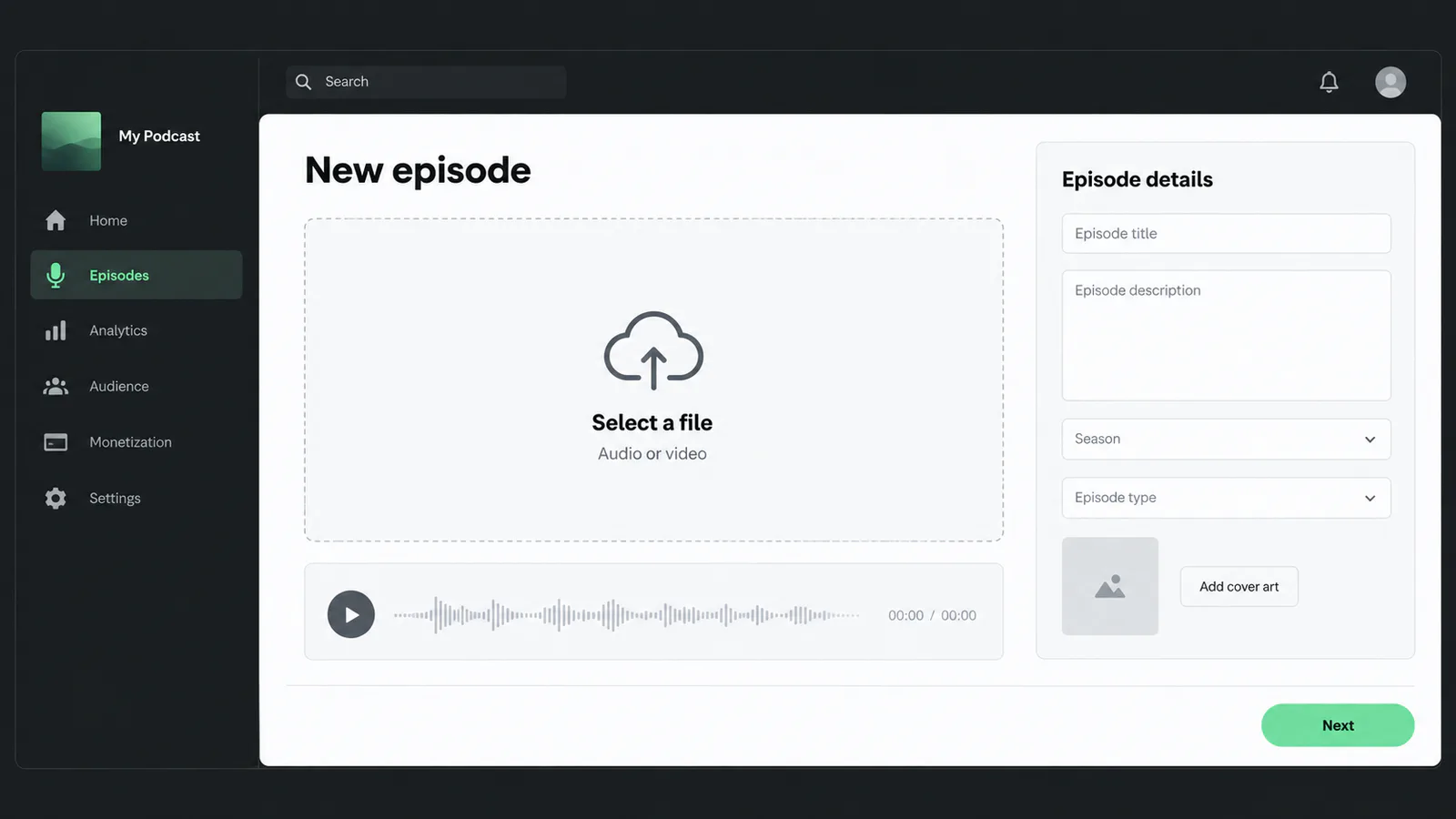
Illustrative recreation: upload the finished file first, then complete the episode details.
Original InfPodcast illustrationSubmit an existing podcast with its RSS feed
In Spotify for Creators, add a show and choose the option for content hosted elsewhere. Paste the RSS feed supplied by your host—or the current Spotify show URL if it is already listed—then complete the ownership check. Spotify may send an eight-digit code to the email in the feed. Once verified, review the imported episodes and do not create a second version of the show. Future audio and metadata changes should be made at the original host and will flow through the feed.
Check the public page and fix discovery basics
Open the show in Spotify on both mobile and desktop. Confirm the cover, title, language, trailer, episode order and explicit labels. Write episode titles for people, not file systems: state the question, story or outcome before adding the show name. Put the most useful information in the first lines of the description, choose a strong “Best place to start” episode when available, and use chapters, transcripts, polls or comments when they genuinely help navigation and engagement.
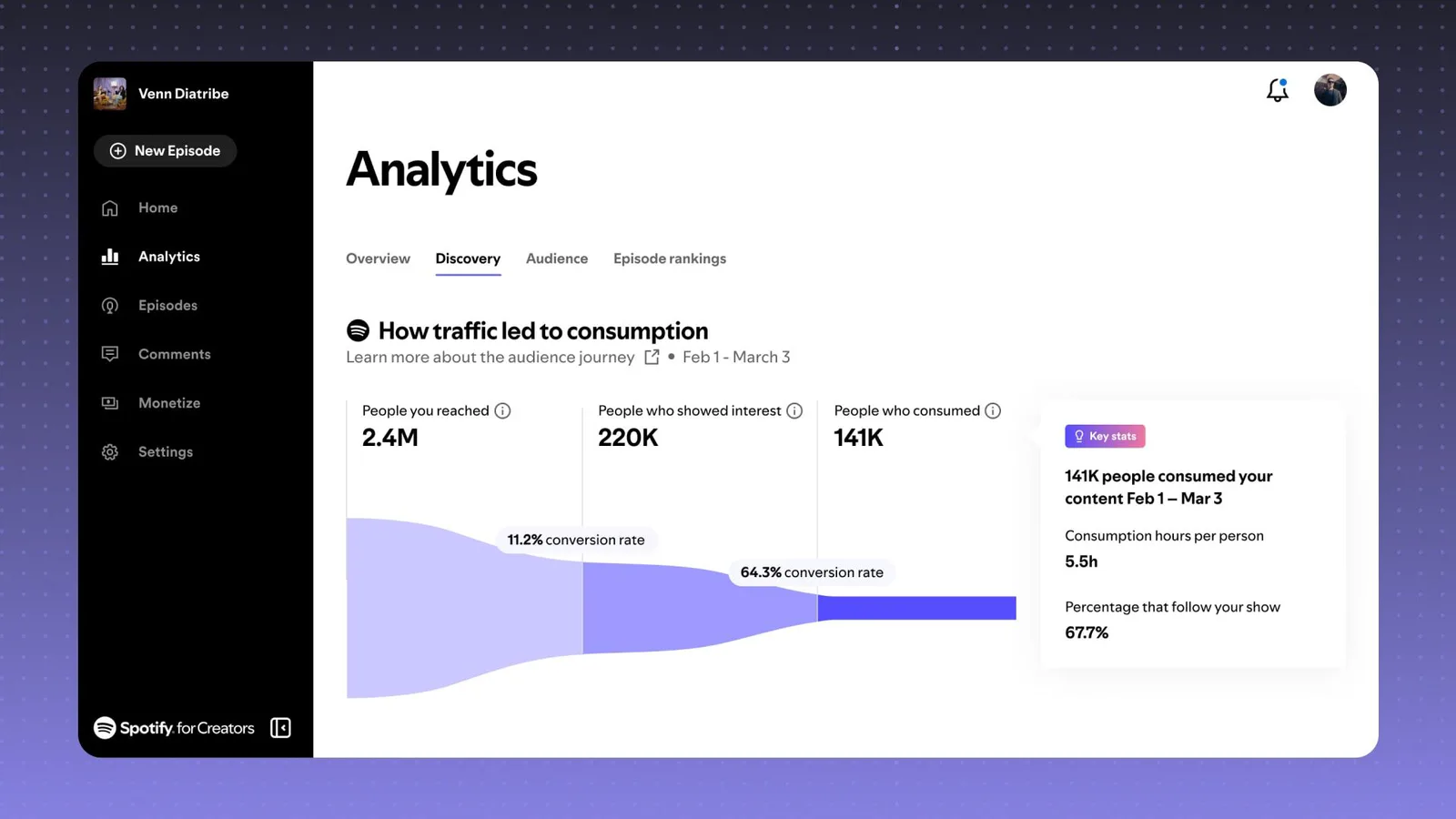
Official interface: the discovery funnel connects reach, interest and consumption.
Source: Spotify for CreatorsUnderstand Spotify analytics after launch
A play is now counted after at least 30 seconds of listening or watching, so compare plays with consumption time, completion and returning fans rather than treating every start as equal. Discovery analytics show the path from people reached to people who showed interest and then consumed the episode. Review several releases before changing format: one weak title can reduce starts, while an early retention drop usually points to the opening, pacing or a mismatch between title and content.
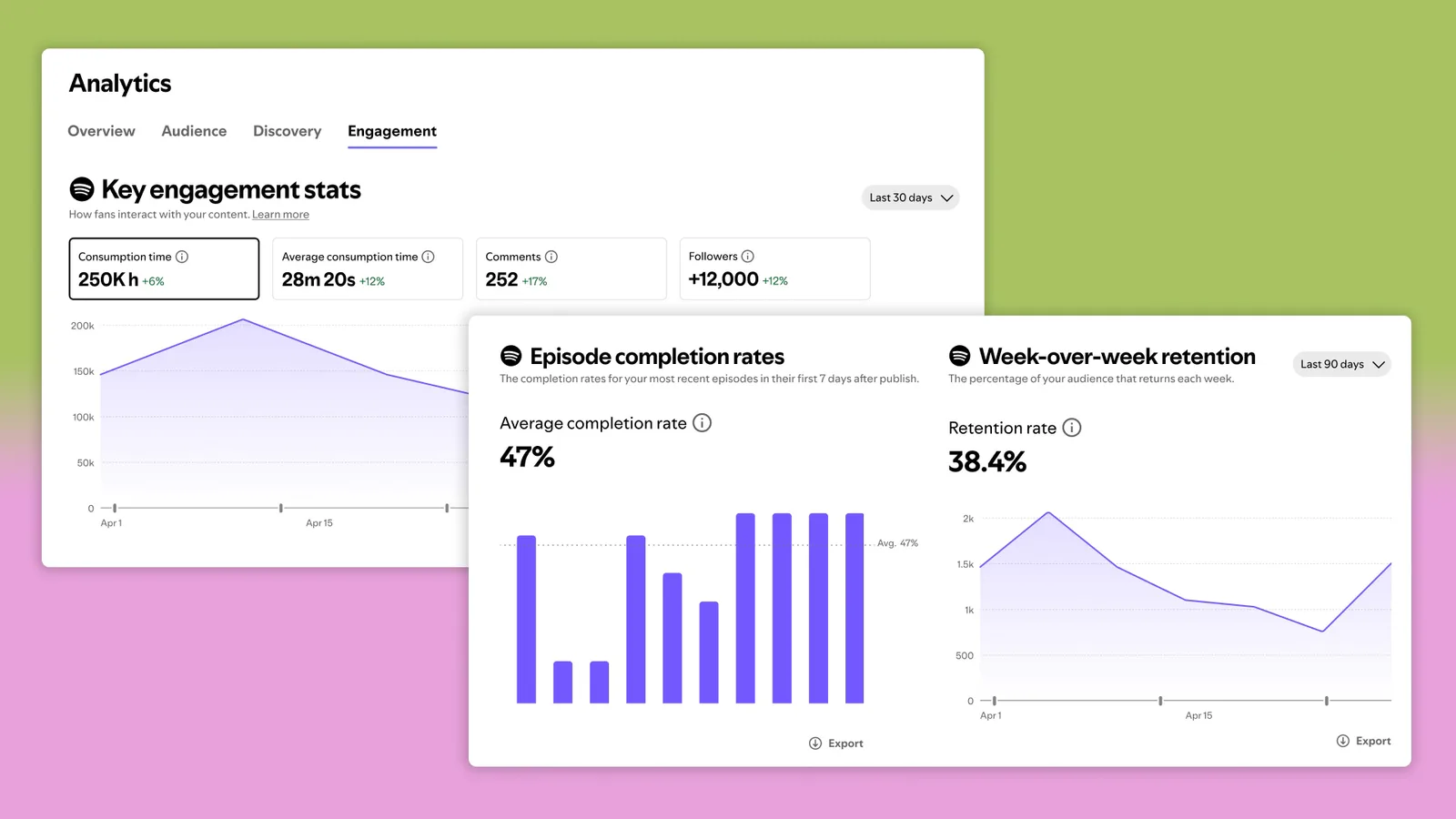
Official interface: completion, retention, comments and followers reveal more than a raw play total.
Source: Spotify NewsroomAdd video without breaking the audio experience
Spotify for Creators accepts video uploads on the web, but it is not a recording or editing application. Finish the file first and make sure the conversation remains understandable when the listener locks the screen. Use clear lighting, stable framing and readable visual references; avoid relying on silent demonstrations. If the podcast is hosted elsewhere, follow Spotify’s separate video-upload workflow instead of replacing the external RSS feed with a new show.
Common problems and the fastest useful check
Most publication failures come from the feed, ownership email or metadata—not from the audio itself.
Check which email is exposed in the RSS feed, then inspect spam and ask the host to update the address if it is old.
Stop publishing to the duplicate. Claim the existing listing with its Spotify URL and contact support with both show links.
Open the RSS feed and confirm that the episode enclosure, title and publication date are present before changing anything in Spotify.
Edit the source at the hosting provider, verify the feed changed and allow the directory time to refresh its cache.
Check that the file has one video track and one audio track, meets Spotify’s current specifications and is uploaded from the web.
For a show hosted by Spotify, publish the first episode first; the feed option is not shown before that point.
Interface labels and feature availability can vary by country and account type. This guide was checked against Spotify’s official creator and support documentation in September 2026.
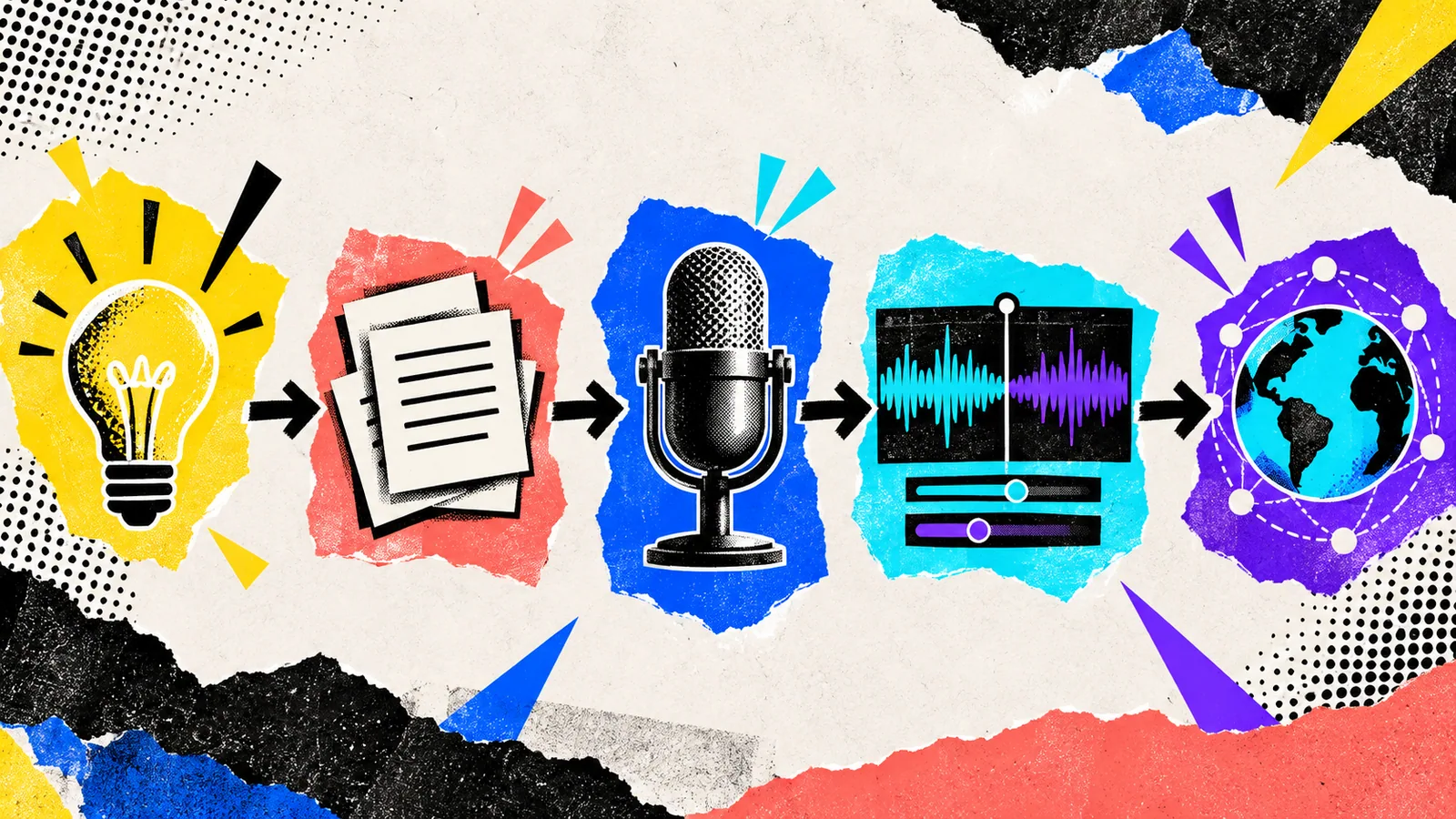
What to do after publishing
Share the episode with the specific audience you made it for and ask one precise question. Useful feedback reveals what was clear, where attention dropped and which subject deserves a follow-up.
Keep the script, recording settings and editing template. Turning each improvement into part of the workflow makes the next episode faster and more consistent.
Frequently asked questions
Is it free to start a podcast on Spotify?
Spotify for Creators offers free podcast hosting. You can also keep a paid or free external host and submit its RSS feed to Spotify without paying Spotify for the listing.
Can I upload an MP3 directly to Spotify?
Yes, when Spotify for Creators hosts your show. If the show is hosted elsewhere, upload the audio to that provider and let Spotify read it from the RSS feed.
How long does it take for a podcast to appear on Spotify?
A Spotify-hosted episode can appear shortly after processing and publication. Externally hosted shows depend on feed validation and directory refresh times, so verify the public page before announcing the launch.
Do I need an RSS feed?
Every standard podcast uses one. Spotify creates it after the first episode if it hosts your show; an external host supplies it when you publish there.
Can I publish a video podcast on Spotify?
Yes. Upload finished video through Spotify for Creators on the web and follow Spotify’s current video specifications. The platform does not record or edit the video for you.
Should I host with Spotify or somewhere else?
Use Spotify hosting for a simple free workflow and native video tools. Keep an external host if you already have one, need specific integrations or want that provider to remain the center of multi-platform distribution.